Split your photo across the Instagram grid and make the subject break out of the frame: AI cut-out, bendable grid lines. Everything runs in your browser — no quality loss.
Out of bounds effect for Instagram — grid pop-out
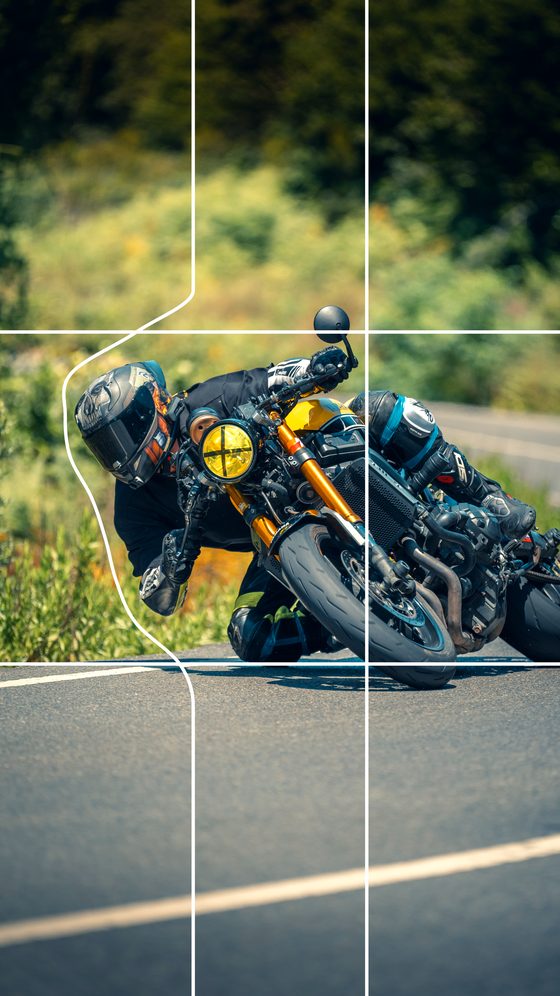
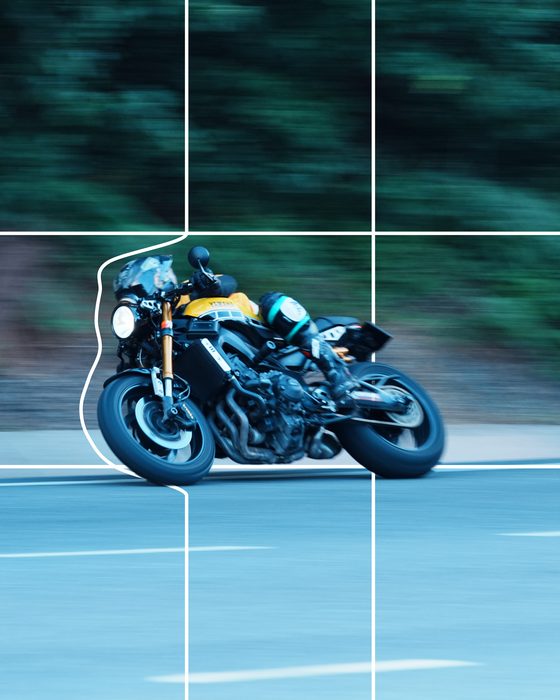
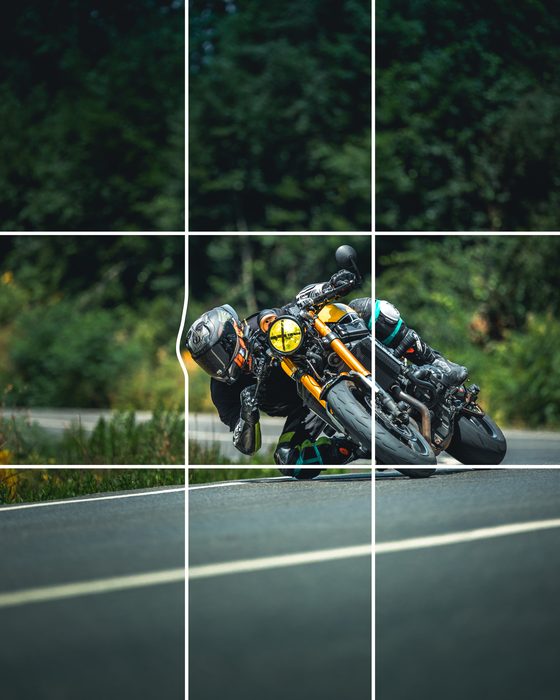
Grid Pop-Out is a free online tool that splits your photo across an Instagram grid and makes the subject burst out of it. The AI cuts the subject from the background, splits the photo into grid pieces, and pops the subject over the top of them — creating a 3D-like "out of the grid" effect on your profile. You can bend the grid lines around the subject to fine-tune it. Everything runs in your browser; your photo is never uploaded and the pieces download lossless.
What is the out of bounds effect?
The out of bounds effect — also called pop out of frame, breaking the frame, or a 3D photo effect — is a photo whose subject appears to step out past its own borders. On Instagram those borders are your profile grid tiles, which is exactly what this tool builds: the photo is split into tiles and the subject is lifted over the tile edges so it leaves the frame.
What is the grid pop-out effect?
Grid pop-out is a creative layout where a photo is split into several tiles on your Instagram profile grid while the subject appears to break out of those tile frames. When the tiles sit side by side, the subject leaps past the grid boundaries, giving a far more eye-catching profile than an ordinary grid. Grid Pop-Out builds it automatically by cutting the subject with AI and bending the grid lines around it.
How to use it
- Add your photo (JPG, PNG, WEBP or iPhone HEIC).
- Tap "Pop-out"; the AI cuts the subject and shows it in front of the grid.
- Bend the grid lines around the subject so it breaks out of the grid.
- Pick the Instagram ratio and the number of pieces (2–4).
- Check the preview, then download the pieces and upload them in order.
Tips
For a strong effect, pick a photo with a clean background and a clear subject — the AI cut comes out cleaner that way. Bend the lines right at the subject's edge to boost the break-out feel. Upload the pieces to your profile in the right order so they line up into a whole in the grid.
Frequently asked questions
How do I make the subject pop out of the grid?
Upload the photo and tap "Pop-out"; the AI cuts the subject and shows it in front of the grid lines. Bend the grid lines around the subject to break it out, then download the pieces.
What is the out of bounds effect?
It is a photo whose subject appears to step out past its own borders — also called pop out of frame, breaking the frame, or a 3D photo effect. Here the borders are your Instagram profile grid tiles.
What is the grid pop-out effect?
It's a creative layout where a photo is split into several profile tiles while the subject appears to break out of the tile frames, giving a striking, 3D-like profile look.
How many pieces can I split into?
You can split a panorama or wide photo into 2, 3 or 4 pieces and export in Instagram ratios like 4:5, 1:1 and 9:16.
Does it reduce quality?
No. The pieces export as lossless PNG; not a single pixel is degraded.
Is it free and does it work on phones?
Completely free, no install. It runs in the browser on phone and desktop; the photo is never uploaded.
Are iPhone (HEIC) photos supported?
Yes, HEIC photos are converted and opened automatically.
Developed by: otto.